How to Protect Your CCTV System
A CCTV system is one of the most effective ways to monitor your home, office, shop, or other property. But installing cameras is only half the job. If your CCTV system is poorly secured, hackers, power failures, environmental damage, or even simple maintenance issues can put your surveillance footage at risk.
The good news is that protecting your CCTV system does not have to be complicated. With the right setup, regular maintenance, strong passwords, and secure network practices, you can keep your cameras working reliably and your recorded footage safer.
In this guide, we’ll explore practical ways to protect your CCTV system and maintain dependable security around the clock.
Why Is It Important to Protect Your CCTV System?
Your CCTV cameras collect valuable visual information about your property, employees, customers, family members, and visitors. If someone gains unauthorised access to your system, they may be able to view live footage, delete recordings, change settings, or disable cameras.
A properly protected CCTV system can help you:
- Reduce the risk of unauthorised access
- Protect recorded surveillance footage
- Prevent tampering with camera settings
- Keep cameras functioning during unexpected problems
- Improve overall property security
- Extend the useful life of your CCTV equipment
1. Use Strong and Unique Passwords
One of the easiest ways to protect your CCTV system is by using strong passwords. Avoid simple passwords such as “123456”, “admin”, your name, or your business name. If your CCTV system still uses its factory-default username and password, change them immediately.
Create a password that combines:
- Uppercase and lowercase letters
- Numbers
- Special characters
- A sufficient length
Also, avoid using the same password for your CCTV system and other accounts.
2. Change Default Login Details
Many CCTV cameras, DVRs, and NVRs come with default login credentials. These details may be publicly available in product manuals or online databases, making them an easy target for attackers.
After installation, change the default username and password. If your device allows multiple user accounts, create separate accounts with appropriate permissions rather than giving everyone administrator access. This simple step can significantly improve the security of your surveillance system.
3. Keep CCTV Firmware Updated
Manufacturers regularly release firmware updates to improve performance, fix bugs, and address security vulnerabilities. Check your camera, DVR, or NVR manufacturer’s website or management software for available updates. Before updating, make sure you understand the procedure and back up important settings or recordings where appropriate.
Keeping your equipment updated is an important part of long-term CCTV security.
4. Secure Your CCTV Network
If your CCTV cameras connect to the internet, your network becomes an important part of your security setup. Use a secure Wi-Fi network with strong encryption and a unique password. Avoid connecting security cameras to open or public Wi-Fi networks.
For larger installations, consider placing CCTV devices on a separate network or VLAN. This can help limit the impact if another device on your network becomes compromised.
5. Enable Two-Factor Authentication
If your CCTV manufacturer or mobile application supports two-factor authentication (2FA), enable it. With 2FA, a password alone is not enough to access your account. A second verification method is required, adding another layer of protection.
This is particularly useful for CCTV systems that can be accessed remotely through smartphones, computers, or web applications.
6. Protect Your DVR or NVR
Your cameras are not the only equipment that needs protection. The DVR and NVR store and manage your surveillance recordings, making them critical components of your CCTV system. Place the recorder in a secure, restricted-access location. Avoid leaving it somewhere that visitors or unauthorised employees can easily reach.
A secure location can reduce the risk of:
- Theft
- Physical tampering
- Accidental damage
- Unauthorised shutdown
- Recording deletion
If possible, use a locked cabinet or secure equipment room with adequate ventilation.
7. Protect Your CCTV Cameras From Physical Damage
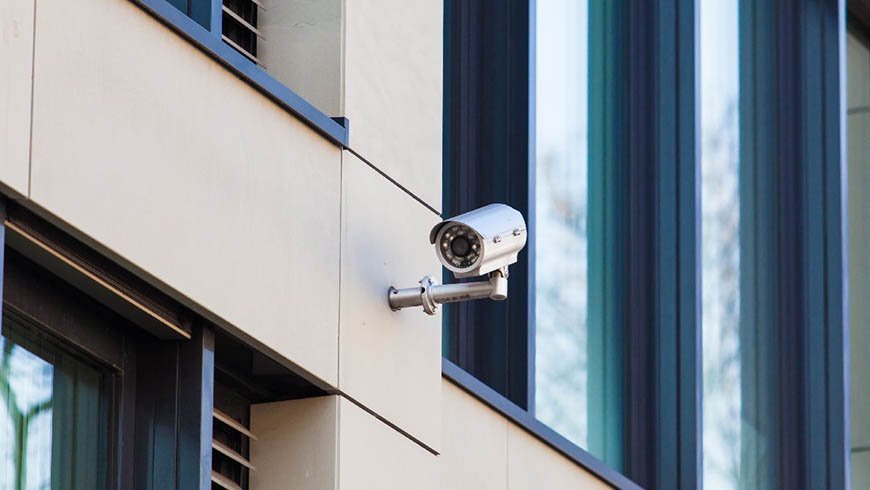
Outdoor cameras are exposed to rain, dust, heat, wind, and accidental or deliberate damage. Choose cameras with appropriate weather and impact protection for their installation environment. Make sure brackets and mounting points are secure, and position cameras where they are difficult to reach.
Regularly inspect outdoor cameras for:
- Loose mounts
- Damaged cables
- Cracked housings
- Water or moisture
- Dirt and dust
- Obstructions affecting the lens
Physical protection is just as important as digital protection.
8. Use a UPS or Backup Power Supply
A power outage can stop your cameras and recording equipment from working. This creates a security gap exactly when you may need surveillance the most. A UPS (Uninterruptible Power Supply) can provide temporary backup power to compatible CCTV equipment during an outage. It can also help protect equipment from certain power fluctuations.
For important installations, consider connecting the essential components—such as the NVR/DVR, cameras, router, and network equipment—to an appropriately sized backup power solution.
9. Limit Remote Access
Remote viewing is convenient because it allows you to monitor your property from almost anywhere. However, unnecessary remote access can increase security risks.
Only enable remote access when you need it, and use secure manufacturer-supported methods. Review which users have remote access and remove accounts that are no longer required. Avoid exposing CCTV devices directly to the public internet when a safer remote-access method is available.
10. Back Up Important CCTV Footage
Even a well-protected CCTV system can experience equipment failure, theft, storage corruption, or accidental deletion.
For critical footage, maintain an appropriate backup strategy. Depending on your system and requirements, this may include additional storage, secure network storage, or another suitable backup method. Remember that storing recordings in only one location creates a single point of failure.
11. Check Camera Settings Regularly
Your CCTV system may continue recording while a camera’s angle, motion detection, or recording settings have changed.
Schedule regular checks to confirm that:
- All cameras are online
- Time and date settings are correct
- Recording is working
- Storage has enough capacity
- Night vision is functioning
- Motion detection is configured correctly
- Camera angles have not shifted
- Remote viewing works as expected
Regular checks can help you identify problems before they become serious security gaps.
12. Clean and Maintain Your Cameras
Dust, fingerprints, insects, water spots, and dirt can reduce image quality. A dirty lens may make it difficult to identify people, vehicles, or other important details.
Clean camera lenses carefully using appropriate materials and inspect the housing and cables during routine maintenance. For outdoor systems, cleaning may need to be performed more frequently depending on the environment.
13. Restrict User Permissions
Not everyone who needs to view CCTV footage needs full administrator access. Create user accounts based on responsibilities. For example, one person may only need live viewing access, while an administrator may need access to system settings. Restricting permissions reduces the chance of accidental or unauthorised changes.
14. Protect CCTV Cables
Exposed cables can be damaged, disconnected, or deliberately cut. Where possible, route cables through protective conduits, ceilings, walls, or other secure pathways. Avoid leaving important cable runs easily accessible from ground level. A camera is only useful if its power and data connections remain secure.
Common CCTV Security Mistakes to Avoid
Even expensive CCTV equipment can become vulnerable because of poor security practices. Avoid these common mistakes:
- Keeping default passwords
- Using weak or repeated passwords
- Ignoring firmware updates
- Leaving the recorder in an unsecured location
- Connecting cameras to unsecured Wi-Fi
- Giving every user administrator access
- Ignoring damaged cables
- Never checking whether cameras are recording
- Keeping all important footage in one location
- Allowing unnecessary remote access
How Often Should You Check Your CCTV System?
A quick visual inspection can be performed regularly, while a more detailed security and maintenance check can be scheduled monthly or quarterly. The exact frequency depends on the environment and importance of your CCTV installation.
Outdoor systems, businesses, and high-traffic locations may require more frequent inspections than a small indoor residential system. The key is consistency. A CCTV system that is never checked can develop problems without anyone noticing.
FAQs
1. How can I protect my CCTV system from hackers?
Use strong passwords, update firmware, secure your network, enable 2FA where available, and restrict unnecessary remote access.
2. Should I change my CCTV camera’s default password?
Yes. Change all default login credentials immediately after installation.
3. How can I protect my CCTV system during a power outage?
A suitable UPS or backup power solution can help keep essential CCTV equipment operating temporarily during power interruptions.
4. Can CCTV cameras be physically protected?
Yes. Secure mounting, protective housings, concealed cabling, and suitable camera placement can reduce physical tampering and damage.
5. How often should CCTV cameras be maintained?
Inspect them regularly and perform a more detailed maintenance check monthly or quarterly, depending on the installation environment.
6. Is it safe to access CCTV cameras remotely?
Remote access can be secure when properly configured. Use strong authentication, updated equipment, and secure manufacturer-supported remote-access methods.
7. Why should CCTV footage be backed up?
Backups can help preserve important recordings if the primary storage device fails, is damaged, stolen, or accidentally erased.
Final Thoughts
Knowing how to protect your CCTV system is just as important as choosing the right cameras. Strong passwords, secure networks, firmware updates, physical protection, backup power, restricted access, and regular maintenance can all help keep your surveillance system reliable and secure.
Don’t wait until a camera stops recording or footage disappears to check your system. Make CCTV security a regular part of your property maintenance routine, and your cameras will be better prepared to protect what matters most.